Hardsurface Concept Tutorial - 3D/Keyshot/JsDisplacement
So I found this neat and easy way to use the Keyshot displacement node to create quick and easy Sci Fi concepts(SPACESHIPS,HARDSURFACE STUFF,MECHA,ROBOT ETC) using some vector displacement maps from JS Displacement (WHICH IS FREE AND YOU CAN GRAB IT HERE : https://windmillart.net/download/JSplacement-1.3.0-x64-portable.exe).
So the idea is using a combination of basic flat (or rounded) Shapes to create a base shape and apply a vector displacement map over it to create some quick and easy concept ideas which you can later refine in the painting software of your choice.
The process is fairly easy for those who are familiar with Keyshot and the 3D software package of your choice.
I have also added some screens from the process and is fairly easy to follow and also some samples from experimentation with the shader values and tinkering around with JS displacement.
On a side note I also made an art piece using the same process.
:)

A Fast Attack Cruiser (Using the same technique described below).
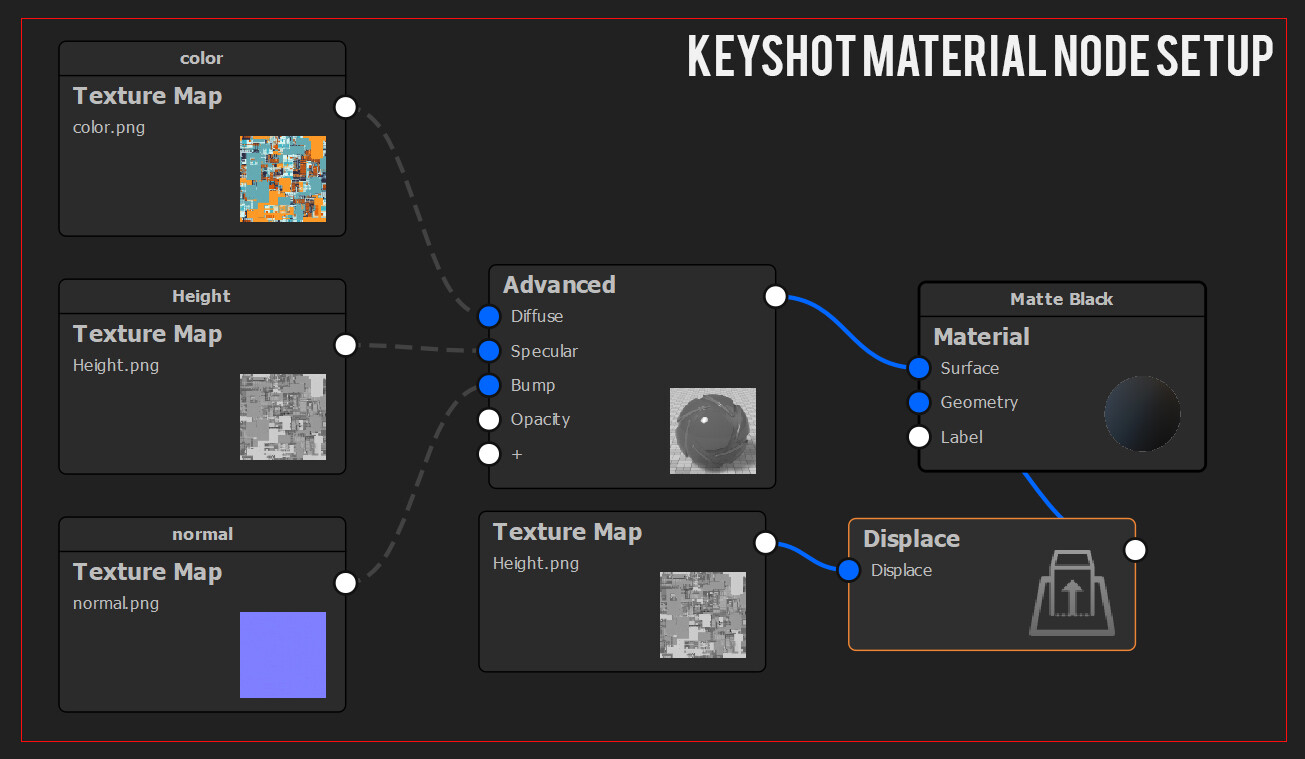
Keyshot Material Node Setup.
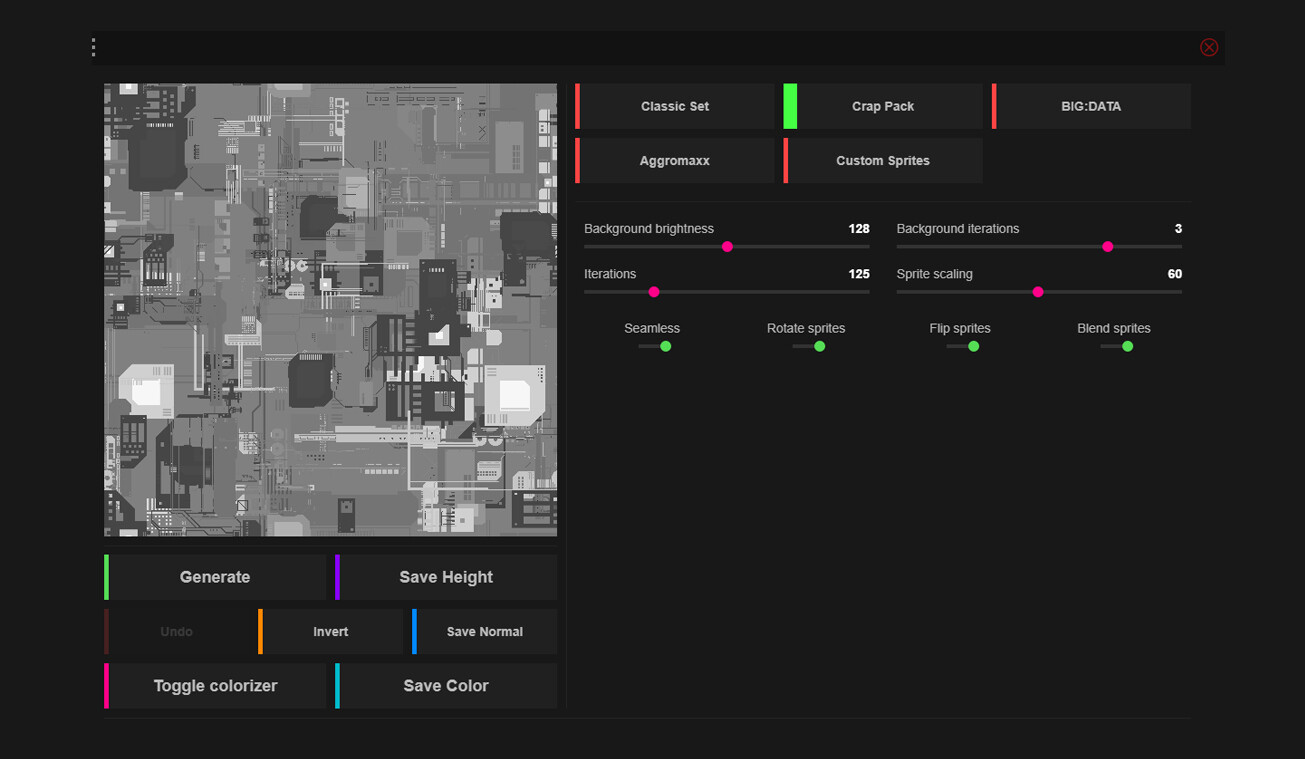
Screenshot from JS Displacement for Height map.
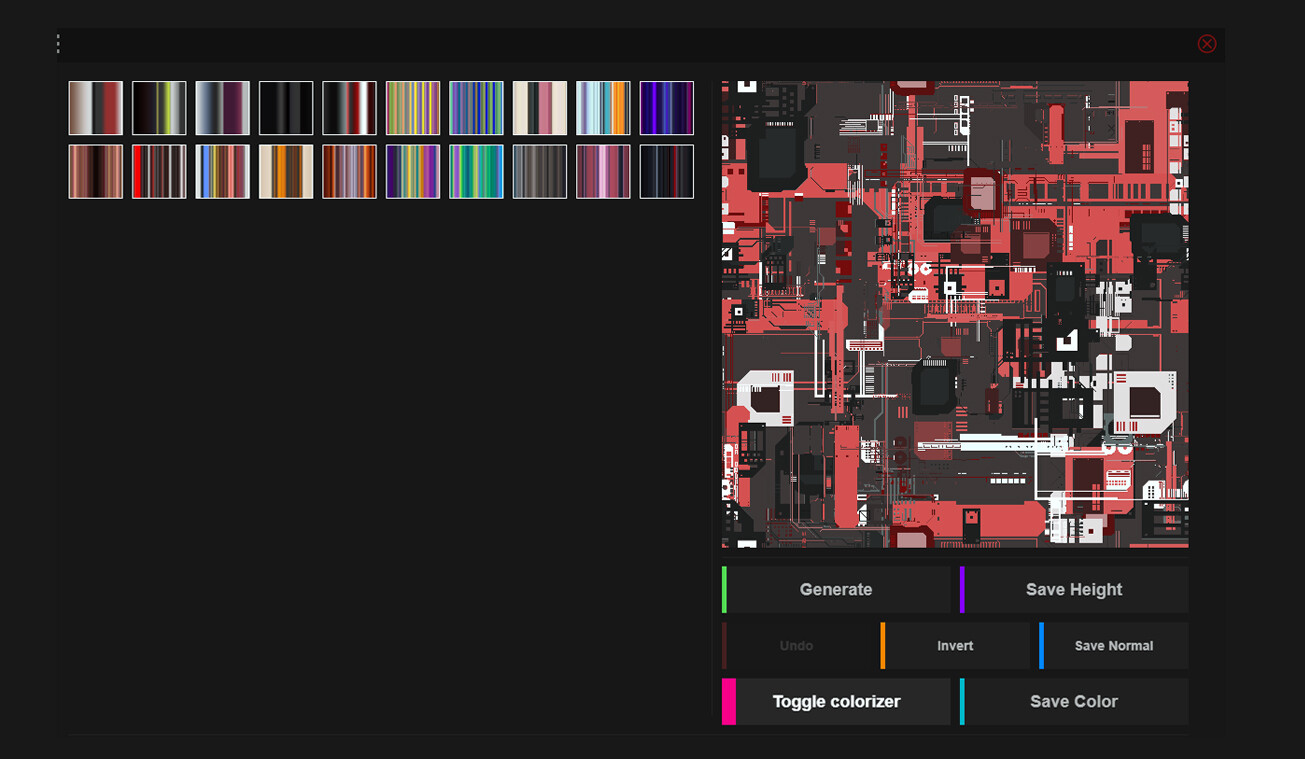
Screenshot from JS Displacement for Color map.

Some Experiments - 1

Some Experiments - 2

A Keyshot Render showing the greeble detail without any performance hit.